

The Problem: Your AI and Your Files Don’t Talk to Each Other
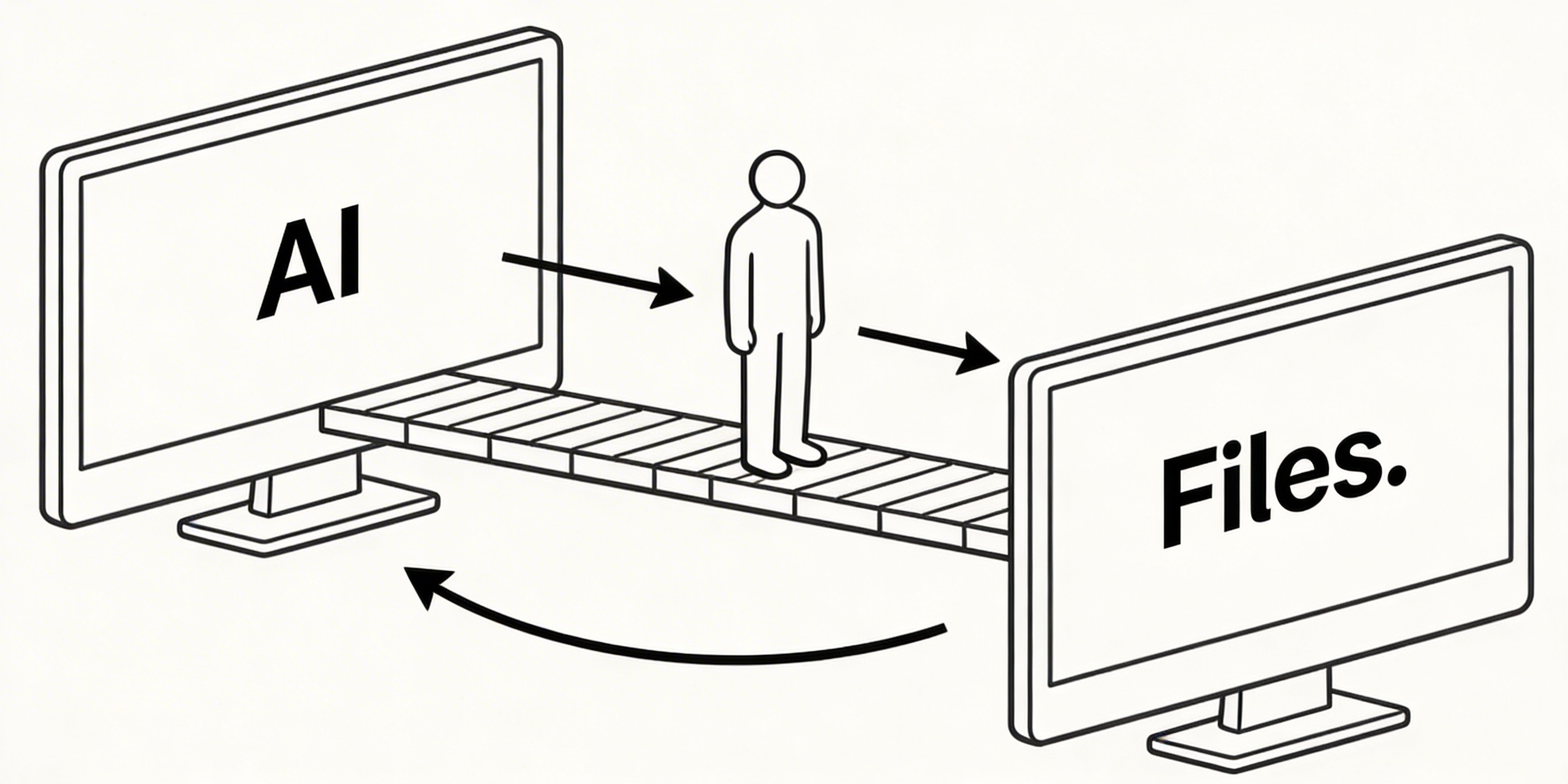
Think about your current writing workflow if you use an AI assistant. You open your editor. You open Claude or ChatGPT in a browser tab. You copy a section of your document. You paste it. You get a suggestion. You copy that. You paste it back. You repeat.
This isn’t collaboration, it’s manual data transfer. You’re the human middleware between two systems that can’t reach each other. The AI can’t see your files. It doesn’t know what else is in your workspace. Every conversation starts from zero.
Now multiply this by 20 documents, 3 ongoing projects, and a team of 5 people. The friction is enormous, and we’ve all just accepted it as normal.
What MCP Actually Is
MCP stands for Model Context Protocol. It’s an open standard first published by Anthropic in November 2024 that defines how AI agents can connect to external tools and data sources in a structured, secure way. Since its release, it has been adopted by OpenAI, Google DeepMind, and Microsoft, and in December 2025, Anthropic donated governance of MCP to the Agentic AI Foundation under the Linux Foundation, making it a vendor-neutral industry standard rather than a proprietary Anthropic project.
In short, MCP is a rulebook that lets AI safely access your files, so it can actually help you work rather than just watch from the sidelines.
Think of it like the USB standard for AI. Before USB, every peripheral had its own plug. After the USB, everything just connected. MCP is doing the same thing for AI agents, giving them a standard way to connect to your calendar, your code editor, your file system, and yes, your writing workspace.
When a tool supports MCP natively, an AI agent like Claude can connect to it directly. The AI can read your files, search across your documents, create new notes, edit sections, and organise your workspace, without you lifting a finger or opening a browser tab.
MCP isn’t about making AI smarter. It’s about giving AI the ability to act, in the right place, with the right permissions, without friction.
Why Most Markdown Editors Don’t Support It
Because it’s new. MCP launched in November 2024 and saw broad adoption from major AI players through 2025. Most established tools, Obsidian, Typora, iA Writer, and HackMD, were architected long before AI agents were a real concern in workflows. Adding native MCP support means rethinking how the tool exposes its data model. It’s not a small feature to bolt on.
Some tools are starting to offer community plugins that approximate MCP support. Obsidian has a community-built plugin, for example. But community plugins differ from native support: they’re installed separately, maintained by volunteers, and often lack the security architecture, such as scoped permissions, audit logs, and rate limiting, that thoughtful MCP implementations require.
What Native MCP Support Actually Looks Like
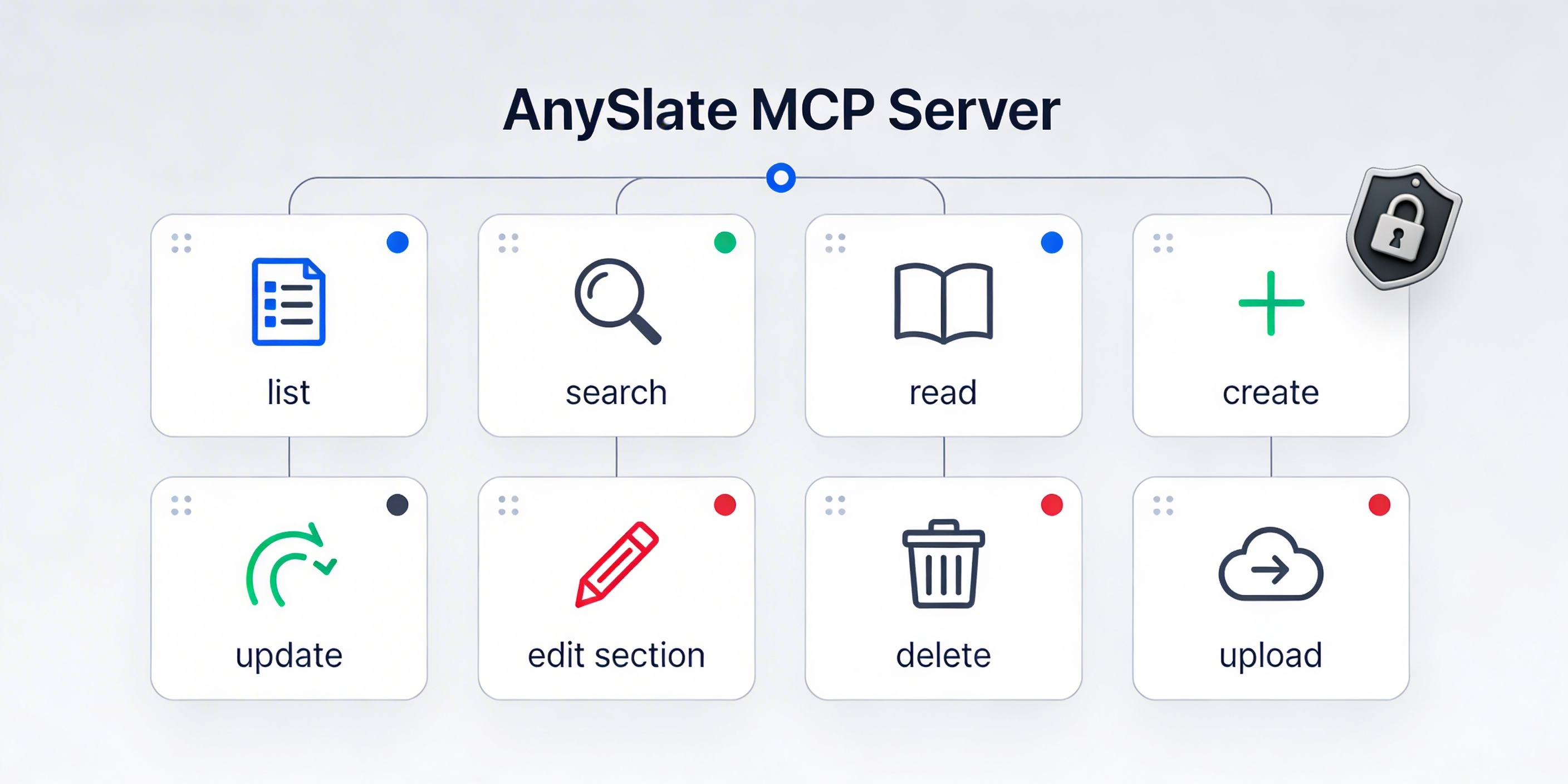
AnySlate built MCP support directly into the product, not as a plugin or third-party integration, but as a core feature of the Professional plan. Here’s what that means in practice:
Claude Desktop can connect to your AnySlate workspace with a single configuration.
Cursor and Windsurf can read and write your Markdown files during coding sessions.
Your AI agent gets 8 named tools: list files, search across documents, read a file, create a file, update content, edit a specific section, delete a file, and upload assets.
Authentication uses SHA-256 hashed tokens, so your workspace is secured, not just open.
Scope-based permissions let you control exactly what the AI agent can access.
Every MCP operation is recorded in an audit log that you can review at any time.
Rate limiting is built in to prevent runaway automation from affecting your account.
The practical result: you open Claude, you ask it to summarise everything you wrote last week, and it does, because it can actually reach your files. You ask it to create a new document from a template. Done. You ask it to search for every note that mentions a client’s name. Done.
No copy-pasting. No switching apps. No starting every conversation from scratch.
Who Should Care About This Right Now
If you’re a developer using Cursor or Windsurf, MCP support in your Markdown editor means your technical documentation and notes live in the same connected world as your code. Your AI can pull from both.
If you’re a writer or content creator using Claude as a thinking partner, native MCP means Claude can become a genuine collaborator, not just a suggestion box you paste into.
If you’re managing a team’s documentation, MCP lets you build lightweight AI workflows to maintain and update your knowledge base without manual overhead.
The Honest Caveat
MCP is still maturing. Not every AI client supports it yet, and the ecosystem is evolving quickly. If you’re a casual writer who doesn’t use AI agents at all, native MCP support probably isn’t a reason to switch editors today.
But if you do use AI in your writing process, or you’re planning to, it’s worth choosing a tool that’s built for that future rather than one that’s trying to retrofit it.
The Takeaway
MCP is the quiet infrastructure that will determine which writing tools feel native to AI-assisted workflows and which feel like relics from a pre-AI era. It launched as an Anthropic project in late 2024, and within a year, it had become an industry standard backed by OpenAI, Google, and Microsoft. The editors that implement it properly, natively, securely, with real access controls, will be the defaults for serious writers and developers.
That future is already here. The only question is whether your editor is ready for it.